Making a promo video shouldn’t take an afternoon. But most tools still make you browse template galleries, drag clips onto a timeline, and click through five menus just to change a font. By the time you’ve exported your 30-second ad, you’ve spent 90 minutes you didn’t have.
That’s the old way. AI has fundamentally changed what a best promo video maker actually looks like in 2026. This guide covers 12 promo video makers across every budget and use case: AI-native tools that generate from a prompt, free options with no watermark, browser-based editors that need no software install, and desktop tools for teams that want more control. The right tool depends on what you’re starting with and what you need to ship.
TL;DR
-
For generating a promo video from a text prompt or using video agent: ChatCut
-
For a free plan with no watermark: Canva (browser) and CapCut (mobile) are the two strongest options
-
For commercial-licensed stock footage cleared for paid ads: Promo.com is the right choice
-
For editing your own recorded footage such as talking-head, screen recording, podcast clips: pick Descript
-
For cinematic AI-generated video at the highest quality available: Runway
-
For repurposing blog posts and articles into social video: Lumen5
-
Browser-based tools — Canva, Veed, InVideo, ChatCut — work without downloading software
What Is a Promo Video?
A promo video is a short-form video, typically of 15 to 90 seconds, created to communicate a specific product, offer, or brand message. It doesn’t require any narrative arc like a traditional ad or film and prioritizes information alongside emotion.
Common promo video formats include product launch clips, event teasers, service explainers, and social media ads. The length and format of an AI promo video vary by platform:
-
15–30 seconds for Instagram Reels and TikTok
-
30–60 seconds for YouTube pre-roll
-
60–90 seconds for LinkedIn and website embeds.
Read our guide on how to make promo video to understand the basics of promo video creation.
What Makes a Good Promo Video Maker?

Before comparing AI promo video makers, here are the factors that separate a tool worth using from one that costs you more time than it saves.
Speed to First Draft
The best promo video creation tools get you to a watchable first cut in under five minutes. For AI-native tools, that means generating from a prompt or URL with minimal manual setup. For template tools, it means a library deep enough that you’re not spending 20 minutes searching for a starting point that fits.
AI Generation Capabilities
There’s a real difference between a tool that uses AI to suggest cuts and one that generates a video from a text description. AI-native tools (ChatCut, InVideo AI, Runway) produce footage, voiceover, captions, and edits from a prompt. AI-assisted tools (Filmora, Adobe Express) add AI features to what is otherwise a traditional editing timeline. Both have their place, but they solve different problems.
Multi-Platform Export
A promo video that only exports in 16:9 is only half-useful in 2026. Look for tools that export in 9:16 (Reels, TikTok, Shorts), 1:1 (feed posts), and 16:9 (YouTube, website) without requiring reframing for each format.
Free Tier and Watermark Policy
Most promo video makers offer a free plan, but not all let you export without a watermark. For promo videos being published under your brand, watermark-free download is the minimum threshold. Also, check export video resolution since some free plans have a maximum resolution of 480p.
Template Depth vs AI Flexibility
Template-based tools are faster for standard use cases but produce generic outputs. AI promo video creation tools scale better across varied briefs. For high-volume social content, template depth matters. For custom brand content, AI flexibility wins.
The Best Promo Video Makers at a Glance
Here’s a quick rundown of the tools before the full reviews.
| Tool | Best For | Free Tier | Starting Price | Platform |
|---|---|---|---|---|
| ChatCut | AI prompt-to-video | No | $25/mo | Browser |
| Canva | Template-first brands | Yes | $18/mo | Browser/App |
| InVideo AI | Script-to-video automation | Yes (watermark) | $17/mo | Browser |
| Adobe Express | Brand kit consistency | Yes (limited) | $10.99/mo | Browser/App |
| CapCut | Mobile-first creators | Yes | $9.99/mo | Mobile/Browser |
| Veed | Browser-based editing | Yes (watermark) | $25/user/mo | Browser |
| Descript | Talking-head and screen recording | Yes (watermark) | $24/mo | Desktop/Browser |
| Promo.com | Licensed stock footage | No | $59/user/mo | Browser |
| Lumen5 | Article-to-video repurposing | Yes (watermark) | $29/mo | Browser |
| Runway | Cinematic AI generation | Yes (limited) | $15/mo | Browser |
| Filmora | Desktop editing with AI tools | Yes (watermark) | $5.83/mo | Desktop |
| Colossyan | Avatar-based training videos | No | $27/mo | Browser |
12 Best Promo Video Makers in 2026
According to Wyzowl’s Video Marketing report, 82% of marketers say video gives them good ROI. The tool you use to make that video matters more than ever. Here’s how the six best promo video makers stack up.
1. CapCut — Best for Mobile-First Creators
CapCut is the most widely used mobile video editor available, with over 200 million monthly users as of 2025. Its free plan is genuinely capable, with AI captions, auto-reframe feature, and an extensive library of AI tools.
Best for: Solo creators, small brands, and social media managers who primarily edit on mobile or need a capable free option.
Key features:
-
AI captions and auto-subtitles
-
Auto-reframe for multi-platform export
-
Text-to-video and AI image generation
-
Access to premium templates on 7-day free trial
Pros:
-
Strong mobile experience
-
Fast for short-form social content
Cons:
-
Less suited for complex multi-track editing
-
Some AI features are paywalled
Pricing: Free / Pro $9.99/month
What we liked best: The 7-day free trial. You can use the premium assets, templates, and export videos in 4K without any watermark.
If you’re deciding between the two, see our full ChatCut vs CapCut comparison for a feature-by-feature breakdown.
2. Canva — Best for Template-First Brands
Canva’s video editor runs in the browser and requires no prior video editing experience. It offers one of the largest template libraries of any tool on this list. It’s the default starting point for marketing teams that need consistent, on-brand output at volume.
Best for: Small businesses, social media managers, and marketing teams that need fast branded content at scale.
Key features:
-
3,000+ video templates across formats and industries
-
Brand Kit: upload fonts, colors, and logos once, applied automatically
-
Magic Studio AI tools: text-to-video, background remover, Magic Write
-
Direct publish to social platforms
Pros:
-
Free plan with no watermark on exports
-
Massive template library
-
No editing experience required
Cons:
-
AI generation is limited compared to purpose-built AI tools
-
Outputs can read as templated to trained eyes
Pricing: Free. Paid plans start from $18/month
What we liked best: The Brand Kit. Set your colors, fonts, and logo once and every template auto-applies them. This feature is a time-saver for teams managing multiple content formats simultaneously.
3. InVideo AI — Best for Script-to-Video Automation
InVideo AI takes a script or text brief and builds a full video around it, using stock footage, adding voiceover, and timing cuts to the narration. It’s the most automated option for teams producing high volumes of explainer or informational content.
Best for: Content teams, agencies, and YouTubers producing text-based explainer and educational videos at scale.
Key features:
-
Script-to-video with automatic stock footage matching
-
16 million+ stock assets
-
AI voiceover in multiple languages
-
25 million+ users globally (platform stability signal)
Pros:
-
High automation for text-heavy content
-
Strong stock library
-
Supports multi-language output
Cons:
-
Output can feel generic when relying on stock footage
-
Less effective for product-specific or brand-heavy promos
Pricing: Free (watermark). Paid plans start from $17/month
What we liked best: Automatic footage matching. Write a script and InVideo pulls relevant clips for each sentence. It helps save time while creating informational content where specific footage isn’t required.
4. Adobe Express — Best for Brand Kit Consistency
Adobe Express is Adobe’s browser-based creation tool, positioned between the simplicity of Canva and the power of Premiere Pro. Its integration with Adobe Firefly (generative AI) sets it apart from template-only tools, and its direct Brand Kit connection makes it a strong fit for teams already inside the Adobe ecosystem.
Best for: Marketing teams and freelancers already using Adobe products who need quick-turnaround branded video.
Key features:
-
Adobe Firefly generative AI for image and video assets
-
Direct Brand Kit sync from Adobe Creative Cloud
-
Thousands of templates across social and commercial formats
-
One-click resize across formats
Pros:
-
Firefly adds genuine AI generation capability
-
Deep brand kit integration
-
Strong for social and presentation formats
Cons:
-
Full capability requires a Creative Cloud subscription
-
Less AI-native than ChatCut or InVideo for video-first use cases
Pricing: Free (limited) / Premium $10.99/month
What we liked best: The Firefly integration. Generate a custom background or product visual inside the same tool where you’re building the video without switching between apps.
For teams weighing Adobe’s ecosystem lock-in against a lighter AI-native tool, our ChatCut vs Adobe Express comparison covers the tradeoffs in detail.
5. ChatCut — Best for AI Prompt-to-Video
ChatCut is an AI video generator and editor built on the premise that you shouldn’t need footage to make a video. Feed it a URL, a product description, or a script, and it generates a promo video, with voiceover, music, captions, and cuts included.
Best for: Founders, marketers, and solo creators who need a finished promo without a production setup.
Key features:
-
Prompt-to-video and URL-to-video generation
-
AI voiceover, captions, and music built in
-
Multi-format export (9:16, 1:1, 16:9)
-
Text-based editing — edit the transcript to edit the video
Pros:
-
Fastest path from brief to first draft; no footage require
-
Strong for product demos and social ads
Cons:
-
Smaller template library than Canva or Adobe Express
-
Output quality depends on prompt clarity
Pricing: Free starter credits. Paid plans start from $25/month
What we liked best: The built-in product ad video script skill. It can turn any product into an ad with different angles, hooks, scenes, and CTAs. It is genuinely useful for teams running frequent launches.
6. Veed — Best for Browser-Based Promo Video Editing
Veed is a browser-based video editor that combines a drag-and-drop timeline with an AI tool suite. It adds AI subtitles, voiceover, text-to-video, and lip-sync animations, without requiring any software installation. It’s the closest thing to a full editing experience in a browser, which makes it a practical option for marketers and creators who need production-level output without desktop software.
Best for: Freelancers, content teams, and agencies who need a capable editing experience entirely in a browser.
Key features:
-
Dynamic AI subtitles with heavy stylization options — a direct retention lever for social promos
-
AI tool suite: generated voices, text-to-video, script generation, and lip-sync animations
-
Brand Kit: save logos, fonts, and color schemes, applied automatically to every project
-
Built-in royalty-free stock music, sound effects, and professionally filmed video clips
Pros:
-
Strong AI feature depth for a browser tool
-
Brand kit keeps output consistent
-
No footage required for basic promos
Cons:
-
Free plan limits AI generation and adds a watermark on exports
-
Subscriptions are priced per editor, which adds up for collaborative teams; complex timelines can experience playback buffering
Pricing: Free (watermark) / Pro $30/month
What we liked best: The dynamic subtitle styling. Most tools auto-generate captions and leave the formatting to you. Veed lets you stylize them heavily, which matters for Reels and TikTok where captions are part of the visual.
See the full ChatCut vs Veed breakdown if you’re choosing between the two browser-based editors
7. Descript — Best for Talking-Head and Screen Recording
Descript’s core differentiator is transcript-first editing. Every word spoken in a video becomes an editable text line. You delete a sentence from the transcript and that clip disappears from the timeline. For talking-head content and screen recordings, this approach cuts editing time significantly.
Best for: Founders, SaaS teams, and creators producing talking-head explainers, product walkthroughs, or podcast clips.
Key features:
-
Transcript-based editing (edit the text, edit the video)
-
Overdub AI voice cloning for corrections
-
Filler word and silence removal in one click
-
Screen recording with camera overlay
Pros:
-
Fastest editing approach for dialogue-heavy content
-
Overdub is genuinely useful for fixing stumbles without re-recording
-
Strong screen capture
Cons:
-
Less effective for footage-based or animation promos
-
Quality depends heavily on source audio
Pricing: Free (watermark). Paid plan starts from $24/month
What we liked best: Filler word removal. One click strips every “um,” “uh,” and dead silence from a recorded video. For solo creators recording without a teleprompter, this alone justifies the subscription.
If your work is mostly talking-head or transcript-based, our ChatCut vs Descript comparison goes deeper on which fits that workflow better
8. Promo.com — Best for Licensed Stock Footage
Promo.com is built around a library of commercial video templates and footage by Shutterstock and Getty Images, which means every video produced is cleared for paid social, broadcast, and commercial use without a separate licensing agreement. That distinction matters for brands running paid media.
Best for: Marketing teams and agencies producing paid social ads or broadcast-ready commercial content.
Key features:
-
Getty Images and iStock commercial footage library built in
-
AI-assisted script and scene generation
-
Direct social media scheduling and publishing
-
3,000+ industry-specific templates
Pros:
-
Commercial licensing built in
-
Strong stock library
-
Scheduling removes the need for a separate social tool
Cons:
-
Most expensive tool on this list
-
Limited AI generation compared to ChatCut or InVideo
Pricing: Paid plan starts from $59/user/month
What we liked best: The licensing model. For teams running paid ads, a Promo.com subscription often costs less than the licensing fees they’d pay sourcing commercial footage from Getty directly.
9. Lumen5 — Best for Article-to-Video Repurposing
Lumen5 specializes in one job: turning written content, blog posts, articles, newsletters, into short promotional videos. Paste a URL or a block of text, and Lumen5 pulls key sentences, pairs them with relevant stock visuals, and produces a shareable clip.
Best for: Content marketers and bloggers repurposing written content into social video at volume.
Key features:
-
URL-to-video from blog posts and articles
-
AI sentence extraction and scene matching
-
Brand Kit with custom fonts and colors
-
500M+ stock media assets
Pros:
-
Fastest tool for blog-to-video repurposing
-
Minimal editing required
-
Usable on the free tier for low-volume output
Cons:
-
Output format is predictable — text-on-video style
-
Less suited for brand storytelling
Pricing: Free (watermark). Paid plan starts from $29/month
What we liked best: The content repurposing workflow. For teams publishing multiple blog posts a week, Lumen5 provides a direct pipeline from written content to social video with almost no manual work.
10. Runway — Best for Cinematic Promo Video Generation
Runway is the most technically advanced AI video generation tool accessible without an enterprise contract. Gen-4.5, its current model, produces cinematic footage from text prompts — camera movements, lighting conditions, subject motion — at a quality level that was inaccessible outside professional production two years ago.
Best for: Creative directors, brand studios, and agencies producing high-end brand films or campaign hero content.
Key features:
-
Runway Aleph for video editing
-
Runway Agent to pitch ideas, storyboards, and assemble scenes
-
Video-to-video style transfer
-
Motion brush for selective animation
Pros:
-
Highest visual quality of any AI generation tool on this list
-
Precise camera control
-
Strong for brand and campaign content
Cons:
-
Steeper learning curve
-
Generation credits add up at scale
-
Duration limit capped at 10 to 16 seconds
Pricing: Free (limited). Paid plan starts from $15/month (additional generation credits sold separately)
What we liked best: Camera control. Most AI video tools generate motion without direction. Runway lets you specify movement — a slow push-in, a tracking shot, an overhead pan — and the output reflects it.
11. Filmora — Best for Desktop Editing with AI Tools
Filmora is a desktop video editor positioned between consumer simplicity and professional power. Its recent updates added a full AI toolset — text-to-video, smart cutout, AI portrait, noise removal — without raising the complexity of the interface. For creators who want a traditional editing timeline with AI acceleration, it’s a practical option.
Best for: Content creators and small production teams who prefer desktop editing with AI-assisted tools.
Key features:
-
AI text-to-video and AI copywriting tools
-
Smart cutout and background removal
-
Accurate and dynamic captions
-
Logo reveal and intro templates
-
Export to all major formats and platforms
Pros:
- Massive template library of more than a thousand presents
- Translate voiceovers into multiple languages for global audience
- AI tools well-integrated into the timeline
Cons:
-
Requires download and installation
-
Free plan exports with watermark
-
Not suited for collaborative workflows
Pricing: Free (watermark). Paid plans start from $5.83/mo
What we liked best: The AI noise removal. Audio quality is the most common weak point in self-produced promos, and Filmora’s implementation is one of the better options at this price.
12. Colossyan — Best for Avatar-Based Training Videos
Colossyan is built for a specific use case: AI presenter videos for training, onboarding, and internal communication. Its avatars read from scripts, switch languages, and integrate with LMS platforms via SCORM export. For external marketing promos in 2026, avatar videos still read as AI to most audiences — Colossyan is candid about this in its own documentation. Its place on this list is for internal-facing video specifically.
Best for: HR teams, L&D departments, and enterprises producing training, compliance, or onboarding content.
Key features:
-
150+ AI avatars
-
PPT and Word document import to video
-
SCORM export for LMS integration
-
Multi-language with auto lip-sync
Pros:
-
Strong for internal video at scale
-
No camera or studio required
-
LMS integration is unique among tools on this list
Cons:
-
Avatar style reads as AI to external audiences
-
High price for use cases outside training and onboarding
Pricing: Paid plan start from $27/month
What we liked best: The PPT-to-video workflow. Upload a presentation and Colossyan turns each slide into a narrated video scene — a practical shortcut for L&D teams working from existing materials.
In case you’re going the DIY route, our promo video service vs DIY comparison breaks down the AI, free, and browser options.
Promo Video Maker: Budget × Device Pick Grid
Use this to find the right promo video maker after reading the full reviews.

| Mobile | Browser | Desktop | |
|---|---|---|---|
| Free (no watermark) | CapCut | Canva | |
| Under $20/mo | CapCut Pro | Adobe Express, Canva, Runway AI, InVideo | Filmora |
| $20–$50/mo | — | ChatCut, Veed , Lumen5, Colossyan | Descript |
| $50+/mo | — | Promo.com ($49) | — |
Free tier with watermark (fine for drafts and internal review): InVideo, Veed, Lumen5, Descript, Filmora
Best Practices to Create Promo Videos
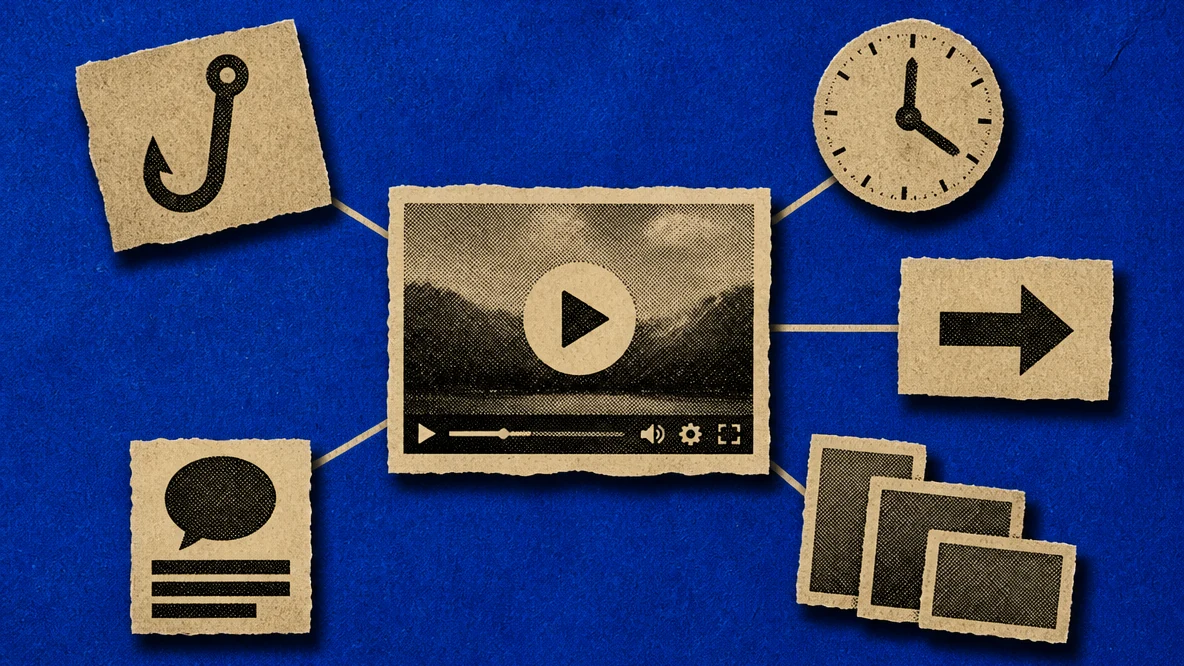
The tools on this list make production accessible, but production value alone doesn’t determine the performance of an AI promo video. Most underperforming promo videos fail on decisions that have nothing to do with the tool. Apply these practices regardless of which tool you use or what format you’re producing for:
-
Lead with the hook. The first 3 seconds determine whether someone keeps watching. Start with the result, the claim, or the most visually striking moment — not a logo animation.
-
Keep it under 60 seconds for social. The sweet spot for Instagram Reels and TikTok is 15–30 seconds. LinkedIn and YouTube hold attention up to 60–90 seconds. Anything longer needs a clear narrative reason to exist.
-
Always add captions. 85% of social video is watched without sound. Captions are not an accessibility feature — they’re a basic viewing requirement for social platforms.
-
Use consistent brand assets. Logo, colors, and fonts should match your other brand touchpoints. Every tool on this list supports brand kit uploads. Use them from the first project.
-
Match the export spec to the platform. Uploading a 16:9 video to a Reels placement and letting the platform crop it signals a rushed workflow. Export the correct aspect ratio for each placement.
-
End with one clear CTA. One action per video — visit a page, use a code, follow an account. Multiple calls to action in a 30-second video produce none of them.
Which Promo Video Maker Is Right for You?
Finding the right promo video creation tool comes down to three questions: what you’re starting with (a script, your own footage, a product URL, or nothing), where the content is going, and what your budget looks like.
-
If you need prompt to finished video, fast, use ChatCut or InVideo
-
If you need talking-head promo videos, use Descript
-
If you need commercially licensed stock footage for promo videos, use Promo.com
-
If you need cinematic promo video content, use Runway AI
-
If you need avatar-led promo videos, use Colossyan
-
If you need article-to-video repurposing at volume, use Lumen5
-
If you need template-based promo video content, use Canva
-
If you need budget-friendly tool for mobile, use CapCut
-
If you need full editing control in browser for promo videos, use Veed
Read our comprehensive guides on the best promo video maker for business and promo videos for music releases to find format breakdowns, realistic budget ranges, and the right workflow for your specific use case.
Ready to Create AI Promo Videos?
Picking a promo video maker comes down to one question: what are you starting with? If you have footage, Descript or Veed will serve you better than a generative AI tool. If you’re starting from a brief or a product URL with no footage at hand, ChatCut or InVideo AI close that gap fast. If budget is the constraint, Canva and CapCut both deliver publishable output on a free plan.
The tools on this list cover every combination of budget, device, and use case — there’s no scenario where the right option doesn’t exist. The mistake most teams make is picking the most-talked-about tool rather than the one that fits how they actually work.
Test one that matches your primary use case. Most offer a free trial or free tier — you’ll know within a single project whether it fits your workflow.