If you’ve searched for the best ChatGPT plugins recently, you’ve probably noticed that most results still describe the plugin store that OpenAI shut down in April 2024. ChatGPT has around a billion monthly active users as of June 2026, and the plugin system those users now work with, rebuilt around Skills, Apps, and MCP Servers, is a different thing entirely from what most 2024 content describes.
This is a breakdown of the plugins worth installing in 2026, organized by what you’re actually trying to do.
Key Takeaways
-
The original ChatGPT Plugin Store closed in April 2024. The current system uses Apps, Skills, and MCP Servers
-
MCP Servers (Runway, Canva, ChatCut) give ChatGPT write access to connected tools and can generate a video or design, not just describe one.
-
OpenAI launched its first official business plugins in June 2026: Creative Production (Figma + Canva + Shutterstock + Picsart + Fal) and Data Analytics (Snowflake + Tableau).
-
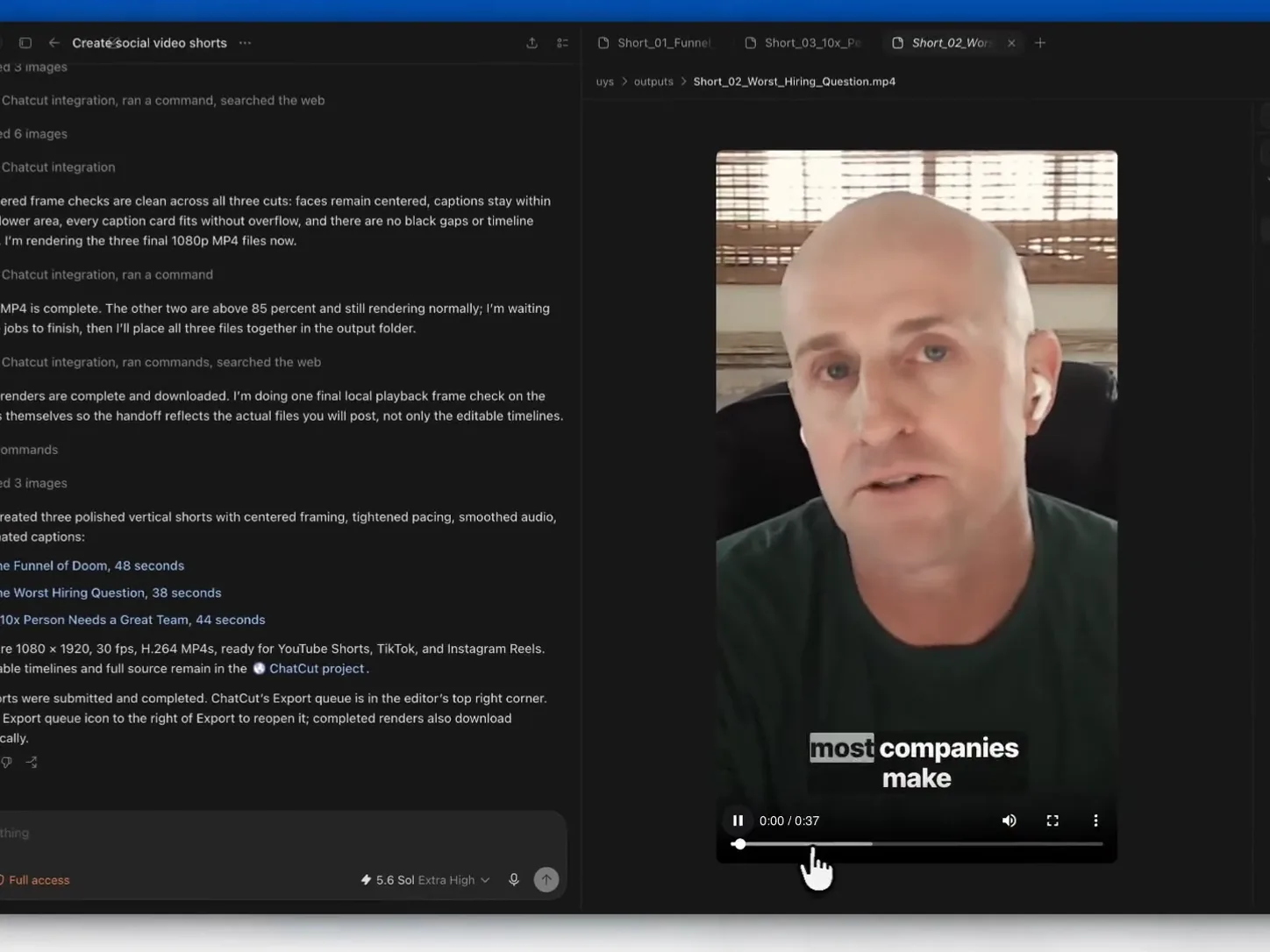
ChatCut added full video editing to ChatGPT with silence removal, adding captions, reframing, B-roll, and MP4 export.
-
Free options for solo creators: Canva MCP, Notion App, Google Drive App, and ChatCut (beta) all work without a Teams subscription.
-
Business-tier plugins (Creative Production, Data Analytics) require ChatGPT Teams or Enterprise.
-
For most creators, the fastest way to evaluate the system is to install one plugin that matches a workflow you already do weekly and run a real task through it.
What Are ChatGPT Plugins in 2026?
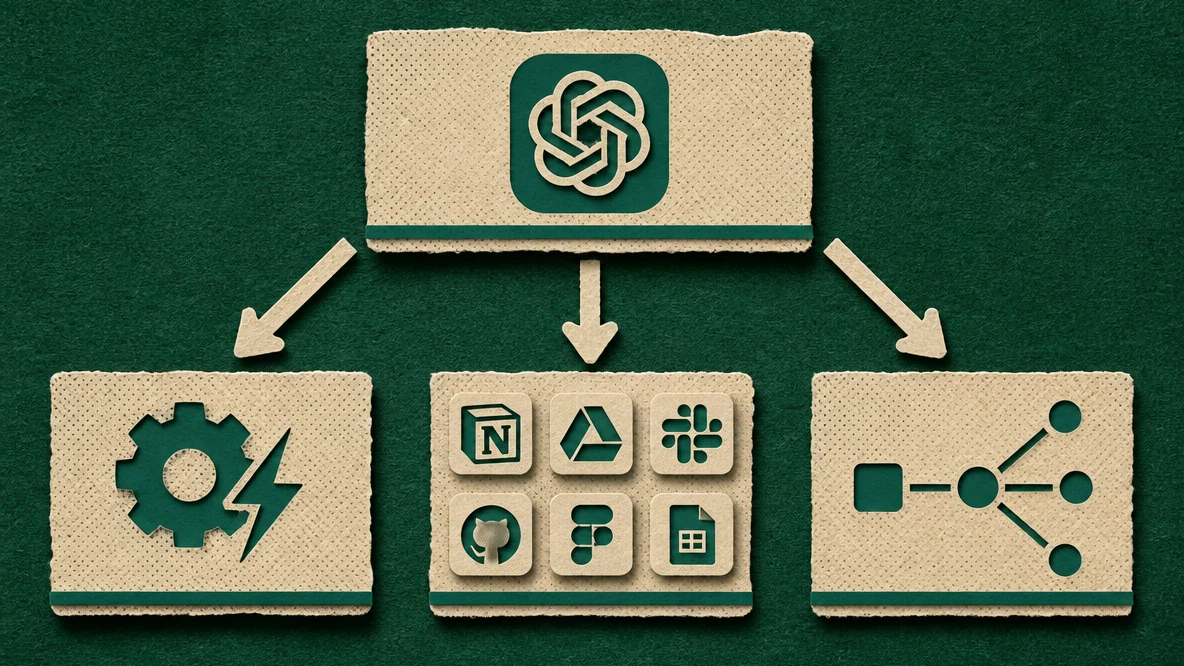
ChatGPT plugins are third-party tools and services you connect directly to ChatGPT to extend what it can do. The current system, released in 2025, uses three component types:
-
Skills: reusable instruction sets that give ChatGPT a specific capability or workflow
-
Apps: direct connections to external tools like Notion, Google Drive, or Slack
-
MCP Servers: full API integrations built on the Model Context Protocol, allowing ChatGPT to read and write data in connected tools
What creators get from this system:
-
ChatGPT can pull from and push to tools you already use — Figma, Notion, Google Drive, Canva — without copy-pasting
-
Workflows that previously required switching between five tabs can run inside a single conversation
-
MCP-connected tools give ChatGPT write access, not just read access
-
Agentic tasks (multi-step workflows) can run in the background while you work on something else
The old 2023 plugin store had ~1,000 plugins from third-party developers. The current system is more curated as OpenAI officially launched the first business-tier plugins in June 2026, with Creative Production and Data Analytics as the first two.
Read our complete guide on [ChatGPT plugins and how to use them](/blog/chatgpt-plugins-for-creators).
How to Install ChatGPT Plugins
Installation varies depending on the plugin type:
-
Open ChatGPT and go to Settings → Beta Features (for newer plugin features) or the Explore GPTs and Tools section
-
For Apps (Notion, Google Drive, Slack): connect via OAuth. You authorize ChatGPT’s access to your account in one click
-
For MCP Servers (Runway, Canva, ChatCut): these require either an OAuth flow or an API key depending on the tool; setup instructions appear when you select the plugin
-
For Skills: add them from the plugin directory without any external account connection
-
Once installed, activate a plugin in any conversation by @-mentioning it or enabling it in the tools panel at the bottom of the chat
Business-tier plugins (Creative Production, Data Analytics) require a ChatGPT Teams or Enterprise subscription.
A Quick Glance At the Best ChatGPT Plugins 2026
The 12 plugins below span six creator workflows, including video, images, audio, design, writing, marketing, and publishing. All of them connect to ChatGPT through either an App or MCP Server integration, and each one is available in the current 2025–2026 plugin system, not the deprecated 2023 store.
| Plugin | Type | Best For | Pricing |
|---|---|---|---|
| Runway MCP | MCP Server | Text to video | Runway credits |
| ChatCut | MCP Server | Video editing | Free (beta) |
| Canva | MCP Server | Social visuals, images | Free / Canva Pro $15/mo |
| ElevenLabs | MCP Server | Voice and audio | Free / Creator $22/mo |
| Figma | App | Design collaboration | From $15/mo per editor |
| Notion | App | Writing, content calendars | Free tier available |
| Zapier | App | Workflow automation | Free / from $19.99/mo |
| WordPress | App | Direct publishing | Free |
| Creative Production | App (Official) | Campaign production | Teams/Enterprise |
| Slack | App (Official) | Social media publishing | Slack account required |
| Data Analytics | App (Official) | Campaign analytics | Teams/Enterprise |
| Google Drive | App (Official) | Workflow and file publishing | Free with Google account |
12 Best ChatGPT Plugins for Creators 2026
The range of available plugins has expanded significantly since OpenAI relaunched the plugin system in 2025. The sections below cover each plugin in detail: what it is, what it actually does, and where it fits into a real content workflow.
Best ChatGPT Plugins for Text to Video: Runway MCP
What it is: Runway’s MCP server gives ChatGPT direct access to Runway’s AI video generation models. You describe a scene in plain language, and Runway generates the clip inside the same conversation.
Plugin type: MCP Server
Key features:
-
Access to Gen-4.5, Seedance 2.0, Kling 3.0, GPT Image 2, and Nano Banana Pro
-
Text-to-video and image-to-video generation
-
Multi-prompt sequencing with AI video prompts to build coherent scenes across a conversation.
-
Available in ChatGPT, Claude, and Cursor
Pros:
-
Generate video inside ChatGPT without opening Runway separately and switching between tools
-
Multiple model options give you flexibility across style and quality
-
MCP write access means output is returned directly in chat, not just linked
Cons:
-
Runway credits are required as there’s no free generation tier
-
Quality depends heavily on prompt specificity; vague prompts return inconsistent results
-
Longer clips consume credits quickly
Best for: Creators producing short-form AI video, concept clips, or B-roll who want to stay inside one workflow.
Pricing: Runway credits are billed through your Runway account. Runway’s Standard plan starts at $15/month for 625 credits.
Best ChatGPT Plugins for Video Editing: ChatCut
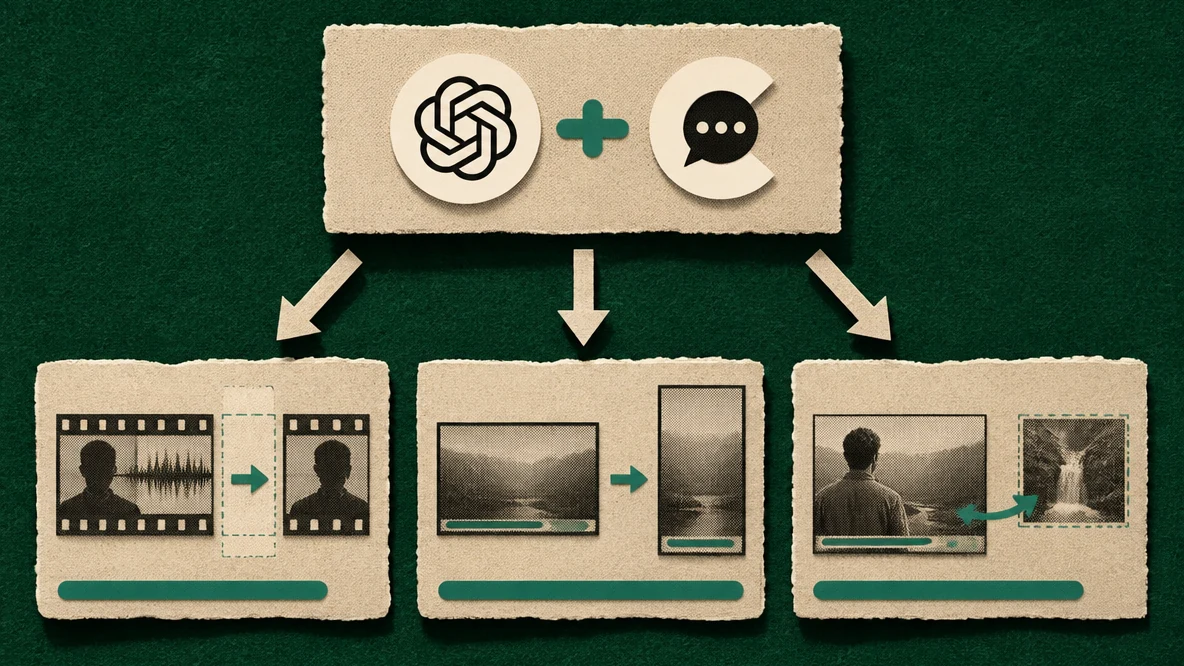
What it is: ChatCut’s Codex plugin was launched in July 2026 and it is the one of the comprehensive full AI video editors available inside ChatGPT. You give editing instructions in plain language and receive an edited video file as output.
Plugin type: MCP Server
Key features:
-
Silence removal
-
Auto-captions
-
Video reframing (horizontal to vertical)
-
B-roll insertion
-
Export to MP4
Pros:
-
Free during beta
-
Removes the most time-consuming manual editing tasks (silence cutting, captioning) in a single command
-
High-quality export means you can finish the edit in a professional NLE if needed
-
No editing software knowledge required
Cons:
-
Not a replacement for complex narrative editing
-
Export compatibility may vary across NLE versions
Best for: Creators editing talking-head videos, podcast clips, or short-form social content who want to reduce editing time without a steep learning curve.
Pricing: Free during beta.
Best ChatGPT Plugins for Images and Social Visuals: Canva
What it is: Canva’s MCP server connects your Canva workspace to ChatGPT with Brand Kit integration. When you generate a design through the plugin, Canva automatically applies your saved fonts, colors, and logo.
Plugin type: MCP Server
Key features:
-
Social media posts, carousels, thumbnails, banners, and presentation slides
-
Automatic Brand Kit application (fonts, colors, logo)
-
Write access, which allows ChatGPT to generate and save designs to your Canva workspace
-
Works across all Canva template categories
Pros:
-
Brand Kit auto-apply means consistent output without manual formatting
-
Covers a wide range of social formats in one plugin
-
Free at the base level with no extra cost beyond your existing Canva plan
Cons:
-
Brand Kit requires a Canva Pro subscription; free accounts get generic styling
-
Not suited for complex or custom design work outside Canva’s template system
-
Output quality depends on how well your Brand Kit is set up
Best for: Creators and marketers who need on-brand social visuals quickly without rebuilding brand settings each time.
Pricing: Free with a Canva account. Brand Kit and premium elements require Canva Pro ($15/month).
Best ChatGPT Plugins for Design Teams: Figma
What it is: The Figma connected app lets ChatGPT generate FigJam diagrams and Figma Slides presentations from text prompts. It creates new files from scratch and does not read or write to existing Figma design files or component libraries.
Plugin type: App (Connected App)
Key features:
-
Create FigJam diagrams from text descriptions
-
Generate Figma Slides presentations from prompts
-
Turn conversation output into editable, shareable Figma files
-
Follow-up prompts to refine and clarify generated output
Pros:
-
Available on any Figma plan at no additional cost
-
Useful for turning a brief or meeting notes into a structured diagram or presentation starting point
-
Output is editable directly in FigJam or Figma Slides
Cons:
-
Only supports FigJam and Figma Slides; no access to Figma design files, components, or existing projects
-
Generates starting points that need manual refinement; not a finished-output tool
-
Not available in the EU
-
Cannot reliably embed uploaded images or PDFs into Figma Slides
Best for: Creators and teams who need to quickly turn a prompt or brief into a diagram or presentation structure, then refine it inside Figma.
Pricing: Free with any Figma plan. No additional charge for the ChatGPT connection.
Best ChatGPT Plugins for Writing and Blogging: Notion
What it is: The Notion App connects ChatGPT to your Notion workspace. You can draft content directly into pages, pull from existing briefs, and update editorial status fields without leaving ChatGPT.
Plugin type: App
Key features:
-
Read and write access to Notion pages and databases
-
Draft blog posts and content briefs directly into your content calendar
-
Pull context from existing Notion pages into the conversation
-
Update database properties (status, assignee, due date) from ChatGPT
Pros:
-
Free tier covers the full integration; no paid Notion plan required to start
-
Eliminates copy-pasting between ChatGPT and Notion for content workflows
-
Works with existing database structures; no setup rebuild needed
Cons:
-
Write access can overwrite existing page content if prompts are imprecise
-
Performance slows with very large Notion databases
-
Nested page structures sometimes confuse the App’s navigation
Best for: Solo creators and content teams who manage editorial workflows in Notion and want fewer tabs open during a writing session.
Pricing: Free tier available. Paid plans from $10/month per member.
Best ChatGPT Plugins for Social Media Marketing
Creative Production (OpenAI Official)
What it is: OpenAI’s official Creative Production plugin, launched June 2026, bundles five creative tools into a single campaign workflow. You brief ChatGPT once and it produces assets across all five platforms.
Plugin type: App (Official OpenAI)
Key features:
-
Figma for design files and templates
-
Canva for visual generation
-
Shutterstock for licensed stock assets
-
Picsart for image editing and effects
-
Fal for AI image generation
-
Brief-to-asset campaign production in one conversation
Pros:
-
Eliminates the need to brief five separate tools for one campaign
-
Actively maintained and supported official OpenAI plugin
-
Covers the full visual production stack: stock, AI-generated, and designed assets
Cons:
-
Requires ChatGPT Teams or Enterprise; not available on free or Plus plans
-
Individual tool subscriptions (Canva, Shutterstock, etc.) still apply separately
-
Overkill for solo creators; built for teams running multi-format campaigns
Best for: Marketing teams that need brief-to-asset turnaround across multiple formats without managing five separate tool workflows.
Pricing: ChatGPT Teams ($30/user/month) or Enterprise. Individual tool costs apply on top.
Slack (OpenAI Official)
What it is: OpenAI’s official Slack App gives ChatGPT the ability to post content directly to Slack channels. It’s one-directional, which means ChatGPT posts to Slack, but does not read messages or threads.
Plugin type: App (Official OpenAI)
Key features:
-
Post content to specified Slack channels from ChatGPT
-
Send campaign drafts, social copy, or content updates for team review
-
Works alongside other plugins in the same conversation
Pros:
-
Removes the step of copying ChatGPT output and pasting it into Slack manually
-
Useful for teams that review content in Slack before it publishes
-
Simple to set up via OAuth
Cons:
-
ChatGPT cannot read Slack messages or reply to threads
-
No scheduling; posts go through immediately or require manual timing
-
Limited to posting; no Slack workflow automation
Best for: Teams that route content approvals through Slack, or creators working with a distributed review team.
Pricing: Requires a Slack account. ChatGPT Plus or above.
Best ChatGPT Plugins for Marketing Analytics: Data Analytics (OpenAI Official)
What it is: OpenAI’s Data Analytics plugin, launched June 2026, connects ChatGPT to Snowflake and Tableau. You query campaign performance data in plain language and get answers without writing SQL.
Plugin type: App (Official OpenAI)
Key features:
-
Plain-language queries against Snowflake databases
-
Tableau-compatible report generation
-
Campaign performance summaries and trend spotting
-
Anomaly detection across large datasets
Pros:
-
Eliminates the bottleneck of waiting on a data analyst for basic campaign questions
-
Plain-language interface means non-technical marketers can access their own data
-
Directly maintained and integrated into the ChatGPT interface
-
Official OpenAI plugin
Cons:
-
Requires ChatGPT Teams or Enterprise
-
Snowflake and Tableau subscriptions are required separately that adds significant cost
-
Complex or custom data models may return inaccurate results without careful prompting
Best for: Marketing teams with campaign data in Snowflake or Tableau who need faster answers from that data without involving a data analyst for every query.
Pricing: ChatGPT Teams ($30/user/month) or Enterprise. Snowflake and Tableau subscriptions apply separately.
Best ChatGPT Plugins for Workflow and Publishing: Google Drive
What it is: Google Drive is one of OpenAI’s official Apps. It gives ChatGPT read and write access to your Google Docs, Sheets, and Slides. It lets you save outputs directly to Drive folders.
Plugin type: App (Official OpenAI)
Key features:
-
Read and write Google Docs, Sheets, and Slides
-
Save ChatGPT-generated content directly to Drive
-
Pull briefs, outlines, or reference data from existing Drive files
-
Organize outputs by campaign or project folder
Pros:
-
Free with any Google account without extra cost
-
Most creators and teams already use Google Workspace, so no new tool to adopt
-
Works well as a publishing endpoint for other plugins in the same workflow
Cons:
-
Functionality is basic compared to working directly in Google Docs
-
Advanced formatting (tables, specific styles) may not carry over cleanly
-
No real-time collaboration features; it saves but doesn’t co-edit
Best for: Any creator or team already working out of Google Workspace who wants ChatGPT outputs saved directly to the right folder without manual copying.
Pricing: Free with a Google account.
Best ChatGPT Plugins for Voice and Audio: ElevenLabs
What it is: ElevenLabs’ MCP server connects its voice generation platform directly to ChatGPT. You can generate voiceovers, narration, and text-to-speech audio inside a conversation without switching to the ElevenLabs interface.
Plugin type: MCP Server
Key features:
-
Text-to-speech generation across 30+ languages
-
Voice cloning from a short audio sample
-
Multiple voice styles for AI voiceover (narrative, conversational, newscast)
-
Direct audio file output returned in ChatGPT
Pros:
-
One of the most natural-sounding TTS outputs available that is consistently benchmarked above competitors by independent audio reviewers
-
Voice cloning means you can generate narration in your own voice at scale
-
MCP access returns the audio file directly in the conversation
Cons:
-
Credits-based pricing, and longer scripts consume credits quickly
-
Voice cloning requires a clean audio sample; background noise degrades output quality
-
Free tier has a 10,000 character monthly limit, which runs out fast for video creators
Best for: Creators producing video narration, podcast intros, explainer content, or any format that needs voiceover without recording time.
Pricing: Free tier (10,000 characters/month). Creator plan at $22/month for 100,000 characters.
Best ChatGPT Plugins for Workflow Automation: Zapier
What it is: Zapier’s App connects ChatGPT to over 7,000 tools through automated workflows called Zaps. For creators, it handles the steps between generating content and publishing it, without manual copy-pasting between platforms.
Plugin type: App
Key features:
-
Multi-step automations connecting ChatGPT outputs to any Zapier-connected tool
-
Trigger-based workflows (e.g., generate a post → save to Notion → post to Slack → schedule in Buffer)
-
No-code setup for most workflows
-
Pre-built Zap templates for common creator use cases
Pros:
-
Covers the tool-switching gap that most other plugins leave open
-
7,000+ connected apps means it fits into almost any existing stack
-
Zap templates reduce setup time for standard workflows
Cons:
-
Free tier caps at 100 tasks/month; easy to exceed if automations run daily
-
Multi-step Zaps can break silently; debugging requires going back through each step
-
Complex workflows with conditionals take time to set up correctly
Best for: Creators who have content generation covered but lose time manually moving outputs between tools to draft, publish, notify, and archive.
Pricing: Free tier (100 tasks/month). Professional plan from $19.99/month.
Best ChatGPT Plugins for Direct Publishing: WordPress
What it is: The WordPress App gives ChatGPT direct publishing access to a WordPress site. You can draft, format, and publish posts without leaving the conversation.
Plugin type: App
Key features:
-
Draft and publish posts directly to WordPress
-
Update and edit existing content
-
Assign categories, tags, and featured images
-
Schedule posts for a future publish date
Pros:
-
Eliminates the copy-paste step between ChatGPT and the WordPress editor
-
Works with both WordPress.com and self-hosted WordPress installs
-
Free; no additional cost beyond your existing WordPress setup
Cons:
-
Limited formatting control; custom page builder layouts (Elementor, Divi) may not render correctly
-
Custom fields and advanced metadata require manual input in WordPress after publishing
-
Not suited for sites with complex editorial approval workflows
Best for: Bloggers and content teams publishing directly on WordPress who want to go from draft to scheduled post inside ChatGPT.
Pricing: Free. Requires an existing WordPress.com or self-hosted WordPress site.
How to Choose the Right ChatGPT Plugin
Use this framework to match your workflow to the right ChatGPT plugin:
-
If you produce short-form video regularly → install Runway MCP for text-to-video and ChatCut for editing. They cover both sides of a video production workflow.
-
If your video content needs narration or voiceover → ElevenLabs MCP generates audio directly in ChatGPT. Voice cloning means you can produce narration in your own voice without recording every time.
-
If you create social content for a brand → Canva MCP is the most direct option. Brand Kit integration means consistent output without manual formatting.
-
If your team reviews content before it publishes → add the Slack App so ChatGPT can push drafts directly into your review channel.
-
If you manage editorial workflows → Notion is the lowest-friction option for content calendars and brief management.
-
If you publish directly to WordPress → the WordPress App removes the copy-paste step between ChatGPT and your CMS. Works on both WordPress.com and self-hosted installs.
-
If you lose time moving content between tools after generating it → Zapier connects ChatGPT outputs to 7,000+ apps. One Zap can handle draft → save → notify → schedule in a single automated step.
-
If you’re running paid campaigns and need performance data → Data Analytics requires a Teams plan but removes the bottleneck of waiting on a data analyst for basic campaign questions.
-
If you work with a design team → Figma’s App is worth installing even if you don’t use it daily. It lets ChatGPT reference real design files instead of working from descriptions.
-
If you’re a solo creator on a free plan → Canva, Notion, Google Drive, WordPress, and ChatCut are all accessible without a Teams subscription and cover most of a solo content workflow.
Ready to Create with ChatGPT Plugin?
The plugin directory has grown significantly since OpenAI relaunched the system in 2025, and it expanded again in June 2026 with the official business plugins. ChatCut adding full video editing in July means the system now covers the full production stack, from brief to final asset, inside a single chat window.
The most practical way to evaluate any of these is to install one plugin that matches a workflow you do every week, run a real task through it, and see where it saves time. For most creators, that’s either Canva for visuals or Notion for content management, both are free to start and cover a large part of a solo content workflow.