UGC creators in the US now average $198 per deliverable, with rates climbing to $500-$1,200 for experienced creators on tech and beauty briefs. AI UGC video makers ship the same 30-second ad for two to twenty dollars on subscription tiers that start at twelve a month. And on August 2, 2026, the EU AI Act’s Article 50 turns “the avatar is synthetic” into a disclosure obligation backed by penalties up to 3 percent of global annual turnover or 15 million euros, whichever is higher. Three numbers, one decision: pick a UGC video maker that ages well past August, not one that wins this quarter’s CPM and breaks next quarter’s compliance review.
This guide is for the operator running actual UGC spend in the back half of 2026. We’ll walk the tool field by what it actually does (pull a presenter from an avatar library, generate a real-person clip from a prompt, or edit footage a real creator filmed), drop the verified per-month prices into one table, pull the FTC and EU rules that change the math, and end on where each shape of “UGC video maker” belongs in a real ad pipeline. ChatCut sits in this field too, but in two lanes most comparison pages collapse into one. We’ll be explicit about which two lanes those are, and which lanes we don’t touch.
The synthetic-UGC gold rush, by the numbers
AI UGC tools spent 2024 and 2025 winning the pitch deck. By 2026 they’ve won the pricing page too. HeyGen’s Creator plan runs $24 monthly, removing the watermark and adding 1080p output (HeyGen pricing). Synthesia’s Starter sits at $29 monthly with 160-plus AI avatars and broad language support, scaling to enterprise on inquiry (Synthesia review). Creatify’s entry tier starts around $19 monthly, with the actual usable plan landing at $39. Topview AI charges $16 monthly with per-video cost of $0.50 to $0.72 on Pro. Captions ships a free tier that carries a watermark, then $12 monthly for HD export and the full avatar library. Arcads, the agency favorite for ad-creative volume, hides its pricing behind a credit card and a one-video sample (Lapis on HeyGen alternatives).
Add it up: AI UGC ad creative now costs two to twenty dollars per finished video, against fifty to five hundred for a human creator. The cost curve isn’t subtle, and the volume curve is what’s actually pulled marketers in. A brand running fifteen ad variants a week used to spend three to six thousand a month on UGC; that same testing volume runs under a hundred dollars on the AI side.
The line you don’t see on the pricing page is what’s happening to the presenters themselves. Library-avatar creators are getting easier to clock. Anti-AI tells (perfect skin under cinematic lighting, scripted cadence with no breath sounds, eye contact that holds slightly too long) are now part of a viewer’s first-second filter. Which is the second number that matters: the cost might be 50x cheaper, but the trust premium real-looking footage still earns has gone up, not down. That’s why the field is splitting in two directions at once, not collapsing into one.
Picking a tool: the three paths “UGC video maker” actually means in 2026
“UGC video maker” hides three different production paths in 2026, and the picker depends on which path the brief calls for.
Path A, library-avatar generators with synthesized voices. HeyGen, Synthesia, Arcads, plus Captions and Creatify on the hybrid end. You write or paste a script, pick a presenter from a pre-built library (or a licensed performer in Arcads’s case), the tool pairs it with a synthesized voice and matched mouth movement. The output is structurally fake-UGC: it looks like a creator on camera, but the presenter came from a library, not a shoot. Best for ad-creative volume tests where 9 of 10 variants get killed.
Path B, AI-assisted real-person video generation from a prompt. Newer tools (and ChatCut) chain image generation to video generation: GPT Image 2 renders a real-person reference frame from a text prompt (the person, the wardrobe, the set, the lighting), then Seedance 2.0 animates that frame into a five-second clip. The presenter doesn’t come from a library, it’s generated for the brief. The clip lands on the same timeline as any real footage, so you can cut between generated B-roll and a real take in one project. Best when the brief calls for UGC-style visuals but no creator is available, or when a real creator needs supplementary B-roll the original shoot didn’t capture.
Path C, editing real creator footage. Real human records on a phone or a small kit, you get the raw take, the tool helps you carve the deliverables. Transcript-driven cuts, captions, voice-over inserts, social-ready exports. The synthesis question doesn’t apply because you’re editing what actually got filmed. Best for the hero spots that carry a campaign and for high-volume long-form (founder interviews, customer testimonials, podcast cuts) that gets repurposed into many shorts.
Most tools live on exactly one path. ChatCut covers Paths B and C in the same editor, which is the structural difference the comparison table makes obvious. Real-creator marketplaces (Influee, Billo, JoinBrands, Trend, Cohley) sit upstream of Path C: they hand off the raw file, you bring an editor. The picker question is which path fits the brief, then which tool fits the path.

What each AI UGC tool actually does
| Tool | Library avatars + synth voice | Voice synthesis from creator samples | AI real-person video from a prompt | Real footage editing | Entry price (USD/mo) |
|---|---|---|---|---|---|
| HeyGen | yes | yes (paid tiers) | no | no | $24 (Creator) |
| Synthesia | yes (160+) | yes | no | no | $29 (Starter) |
| Arcads | yes (licensed performers) | yes | no | no | Custom (no public price) |
| Captions | yes | yes | partial (avatar-bound) | no | $12 (Pro) |
| Topview AI | yes | yes | partial (template-bound) | no | $16 (Pro) |
| Creatify | yes | yes | partial (template-bound) | no | $19-$39 |
| Influee / Billo / Trend (marketplaces) | no | no | no | hands off raw file, no editor | $150-$300 per video |
| ChatCut | no | no | yes (GPT Image 2 + Seedance 2.0 on one timeline, Pro tier) | yes (text-based editing, captions, VO) | $25 (Pro); Free starter credits available |
What the table makes obvious: the library-avatar field is crowded and the differentiation inside it is mostly pricing and avatar count. The AI-real-person and real-footage columns are nearly empty, and most tools that touch them only touch them inside a fixed template. ChatCut sits in both columns and in the same editor surface, which is the structural lane the picker actually opens up. Library avatars work for a different brief; they’re not a worse version of what ChatCut does, and ChatCut isn’t a worse version of HeyGen. The two product shapes solve different problems.
The disclosure rules that change the math in August 2026
Three regulatory deadlines collapse onto each other this summer. New York’s Synthetic Performer Disclosure Law took effect June 9, 2026. The EU AI Act’s Article 50 transparency provisions become enforceable on August 2, 2026. California’s AI metadata mandate kicks in the same day (Billo on the EU AI Act).
The shared rule is straightforward: if ad creative uses AI to generate or substantially modify a human likeness (face, voice, body), the brand running the ad has to disclose. In the EU, that means a visible label on the ad plus machine-readable metadata embedded in the file. In the US, the FTC’s 2026 endorsement guidance requires “double disclosure” for AI-involved sponsored content: you disclose the sponsorship and the AI involvement, with each non-compliant piece counting as a separate violation at up to $53,088 a pop (Human Ads AI on FTC disclosure).
What changes on the operator’s side is the per-ad overhead. Every Path A or Path B asset now ships with a disclosure layer (icon, label, metadata pipeline) and a legal-review step. That’s not catastrophic, but it isn’t zero. The cost gap between “two dollars per AI video” and “one hundred fifty dollars per real-creator video” closes by some material amount once disclosure compliance is amortized across every asset. Path C (real footage you actually filmed) sidesteps this entirely; the presenter is a real person, and the AI-likeness rule doesn’t apply. The compliance cost is one more reason the 2026 ad mix is a blend, not a pure-AI or pure-human pipeline.

The brand-side data already shows the rebalancing. Aerie, Equinox, and Almond Breeze ran early-2026 campaigns specifically positioning themselves as antidotes to AI slop (Adweek on the 2026 anti-AI campaigns). That kind of brand positioning doesn’t show up unless a category-level trust problem is real and measurable.
Real footage still wins where it counts
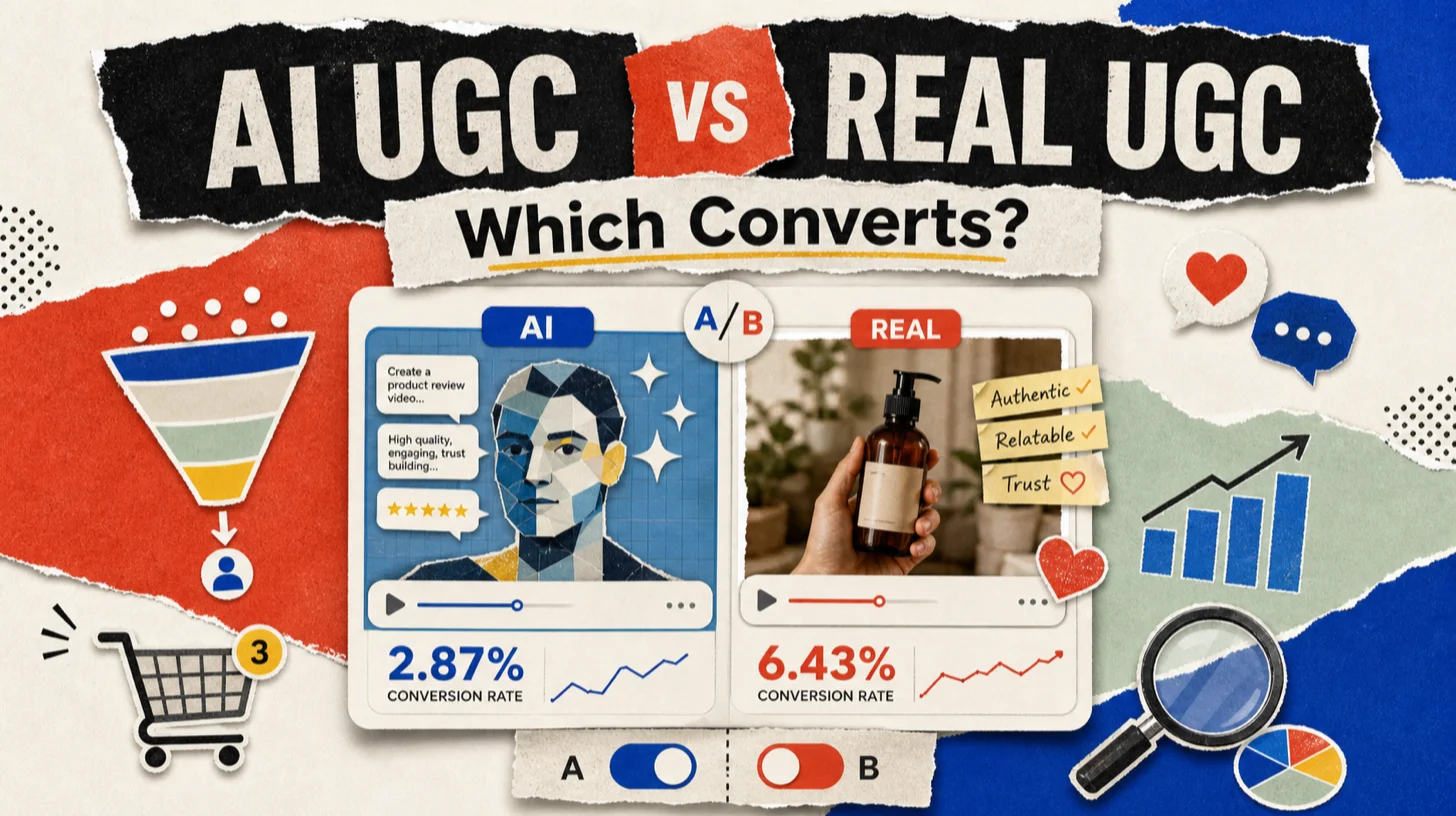
The performance data is where the synthetic vs. real conversation stops being aesthetic and starts being a P&L item. Real customer content drives roughly 4x higher click-through on social ads compared to brand-created creative. Posts featuring user-generated content delivered 10.38x higher conversion than non-UGC posts in Q3 2025. 80 percent of consumers cite peer-and-real-customer content as the most credible brand information source.
The AI-side numbers are interesting in a different way. Library-avatar UGC posts hit higher upper-funnel engagement (one TikTok test logged 18.5 percent engagement on AI variants vs. 5.3 percent on human UGC) but the trust-to-conversion gap reasserts at the bottom of the funnel. Shoppers are 2.5x more likely to perceive real UGC as genuine versus brand-created content, and that perception drives the conversion delta.
The operator pattern that’s emerged: 70 percent AI for volume testing and creative iteration, 30 percent real-creator footage for the hero spots that convert. The 30 percent is where editing hours actually pile up (cutting the take, captioning for silent watch, dropping VO inserts over B-roll), and where Path B starts paying off too: if you can fill in missing B-roll with an AI-generated real-person clip on the same timeline instead of re-shoot day, the hero spot ships on schedule. That hybrid mix runs creative cost down 40 to 60 percent vs. an all-human pipeline while preserving the trust premium on the spots that actually carry the campaign.

Where ChatCut fits, and very deliberately doesn’t
ChatCut covers Paths B and C in one editor. The principles below describe what that looks like in a UGC workflow. The bottom lines describe what’s narrower than the picker often assumes, so the comparison stays honest.
Principles (what ChatCut does for UGC):
-
Edits real creator footage by editing the transcript. Upload the raw take, the transcript appears on the left, delete a sentence and the matching video clip vanishes from the timeline. See text-based video editing for the full feature surface. For the talking-head-on-phone format that defines real-creator UGC, this is faster than scrubbing waveforms by ten to one.
-
Generates AI real-person video from a prompt, on the same timeline. GPT Image 2 renders a real-person reference frame (the presenter, the wardrobe, the setting) from a text prompt, then Seedance 2.0 animates the frame into a five-second clip. The output drops into the same timeline as any real footage, so you can cut between an AI-generated B-roll shot and a real take without leaving the editor. See AI video generator and AI image generator.
-
Generates social-ready captions in 6 style presets. Netflix, Minimal, Vox, Focus, TikTok, YouTube. Word-level timestamps with the current word highlighted, which is the format silent-watch UGC needs. Caption details: AI captions and subtitles.
-
Drops voice-over inserts from a curated voice library. 32 pre-built voices (18 English, 14 Chinese), useful when the creator’s take needs a contextual VO over B-roll without re-shooting. See AI voiceover. The voice library is curated, not user-trained.
-
Sits inside the social-media-content workflow. The social media content production use case maps the full path from raw vertical take to 1080p MP4 export. For long-form interview UGC that gets clipped to multiple shorts, talking head and interview editing is the closer fit, with turn long videos into shorts as the methodology piece.
Bottom lines (what ChatCut explicitly doesn’t do):
- No library-avatar generation. ChatCut doesn’t ship a pre-built avatar library where you pick a presenter from a catalog. AI real-person clips are generated per-prompt on the image-to-video chain, not pulled from a roster. If the brief wants a library presenter, the tool is HeyGen, Synthesia, or Arcads.
- No voice synthesis from user-supplied audio samples. The 32 voices in the library ship as-is. ChatCut doesn’t replicate a specific person’s voice from a recording. Synthetic voice generation from creator audio samples is out of scope.
- No likeness modification on uploaded footage. Lip-sync alignment to an existing speaker, identity replacement, and synthetic-likeness stitching aren’t in scope and aren’t on the roadmap. The footage you upload is the footage you edit; AI real-person clips are generated whole, not pasted onto a real person.
- Single-account sync, not a shared project surface. State sync across tabs and panels ships today. Joining several teammates on one shared timeline sits on the roadmap, timing is product’s call.
- 1080p export ceiling. Both plans cap at 1080p MP4. Ultra HD finishing belongs in a downstream pipeline.
The pricing facts the picker actually needs. Pro starts at $25 a month, with 16 percent off on annual billing. Exports carry no watermark on any plan.
Free Plan includes 15 credits to get started, one-time, no recurring monthly grant. Chrome-only.
Don’t click through menus. Just tell ChatCut what you want.
Questions worth a direct answer
Is there a genuinely free AI UGC video generator? Captions, HeyGen, and Topview AI all ship free tiers; Captions and HeyGen’s free outputs carry a watermark on export, which makes them a poor fit for paid social. The cost-effective entry is usually a $12 to $24 monthly tier on one of those tools, not the free version. Real-creator marketplaces have no free option by definition.
HeyGen vs. Arcads vs. Synthesia for ad creative, which one ships better in 2026? All three render avatar-on-camera ads well. HeyGen is the volume tool with the cleanest pricing transparency; Arcads’s licensed-performer library is the upper-tier choice for brands that want a “real human likeness” without filming; Synthesia leads on enterprise language coverage. With the August disclosure rules, the decision now folds in a compliance variable, not just an output-quality variable.
What does the EU AI Act actually require for UGC ads on August 2, 2026? A visible disclosure on AI-generated ad creative plus machine-readable metadata embedded in the file. The brand is the deployer and carries the legal disclosure obligation; the tool provider carries the metadata-marking obligation. Penalties top out at 3 percent of global annual turnover or 15 million euros.
Does ChatCut generate UGC, or just edit it? Both, on different paths. ChatCut doesn’t ship a library-avatar presenter, so it isn’t a HeyGen replacement on that axis. It does generate AI real-person clips from a prompt via GPT Image 2 plus Seedance 2.0, on the same timeline where you cut real creator footage. The wedge against the avatar tools isn’t “we won’t generate UGC,” it’s “you don’t have to leave the editor to switch between AI generation and real-footage editing.”
Where does ChatCut fit in the picker against editors like CapCut and Descript? ChatCut competes with the editor side of the workflow (Path C), and adds the AI real-person generation column (Path B) most other editors don’t have. If you’re already using CapCut for cuts and HeyGen for an avatar, ChatCut collapses that pair into one timeline. If you’re hiring a creator on Billo or filming the founder on a phone, ChatCut cuts, captions, and exports it.
What about long-form UGC that gets repurposed into clips? This is the talking-head and interview workflow. You record one long take with the creator (founder interview, customer testimonial, podcast cut for social), then carve out multiple shorts. Transcript-driven editing makes the carving fast because you’re selecting sentences instead of waveform regions. The methodology lives in the turn long videos into shorts write-up, and the editor surface that does the carving lives in text-based video editing.
Editing real UGC footage and dropping in AI-generated real-person B-roll on one timeline? Try ChatCut Free. 15 one-time credits, transcript-driven cuts, 6 caption style presets, 1080p MP4 export, Chrome-only.