Three shots, one generation
Write the shots in order and Kling 4.0 cuts between them inside one clip. This 10-second car ad is a close-up, a tracking shot and an aerial, from one prompt.
Generate up to 30 seconds in one take, with sound, from text, images or reference videos. Then cut it in the same editor.


Trusted by 400,000+ creators
Three things you can see in the clips. Each one came from a single prompt in ChatCut.
Write the shots in order and Kling 4.0 cuts between them inside one clip. This 10-second car ad is a close-up, a tracking shot and an aerial, from one prompt.
Kling 4.0 renders 21:9 natively, alongside 16:9, 9:16 and 1:1, so a wide shot needs no crop.
Every clip has native audio. Write the sounds into the prompt; turn the sound on to hear this one.
Kling 4.0 takes images, frames and videos in one request. Here is what went in, and what came out.
Two character sheets and one set, plus a clip whose camera move to copy. Name each one in the prompt and Kling keeps them apart.
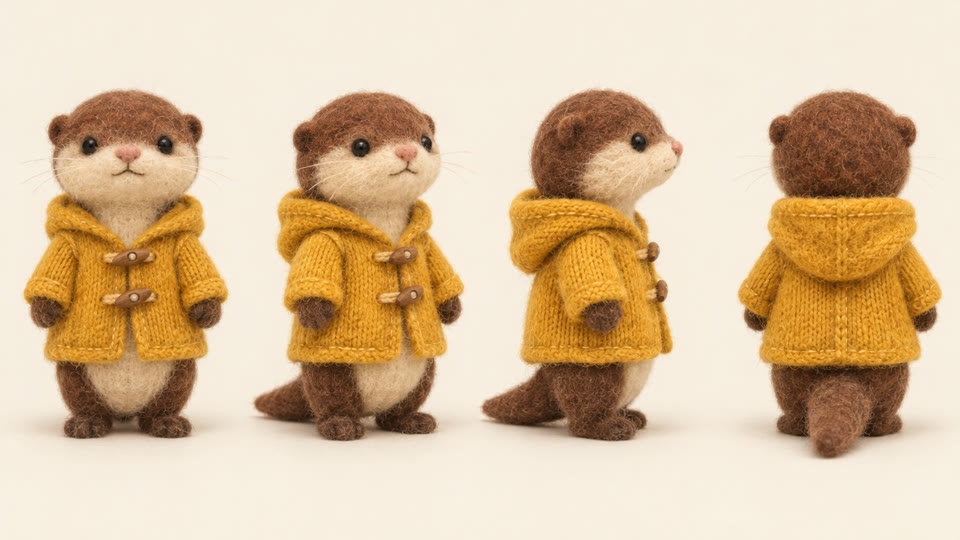 @image_1 Otter
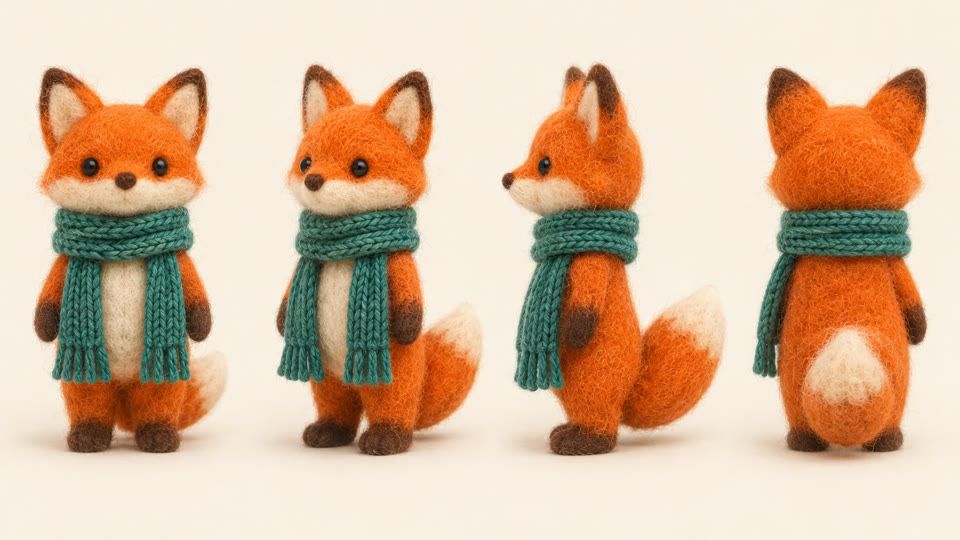 @image_2 Fox
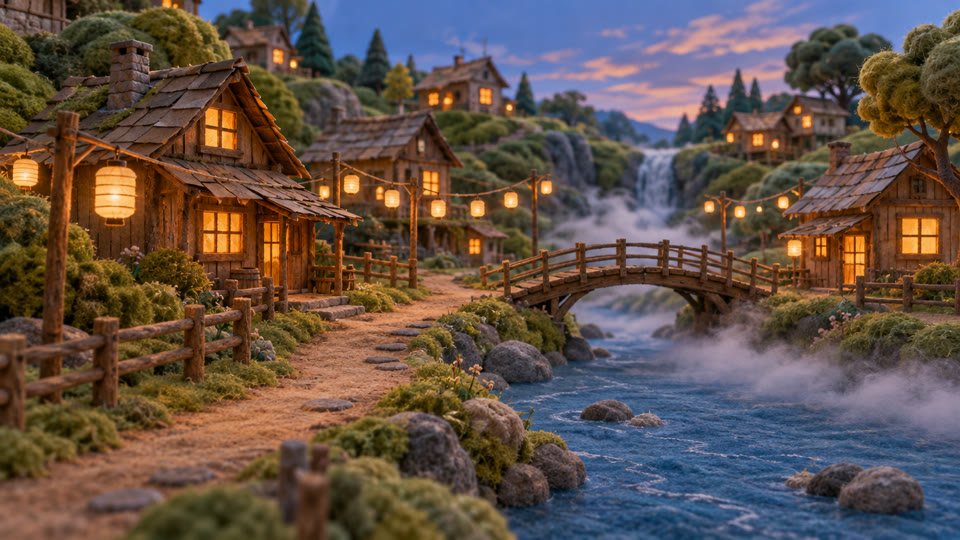 @image_3 Village
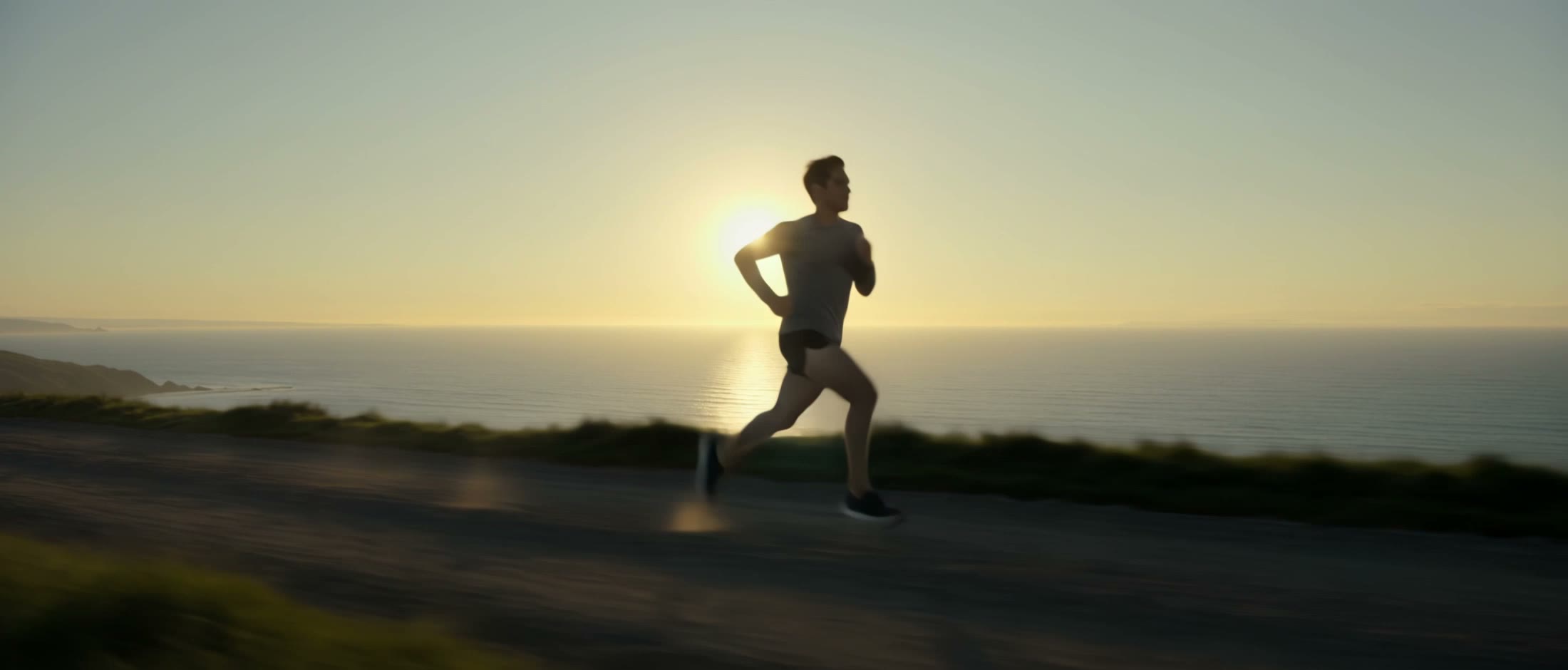 @video_1 Camera move
Stop-motion felt animation. The otter from @image_1 (chestnut brown felt, mustard-yellow knitted raincoat with wooden toggles) and the fox from @image_2 (orange felt, white muzzle, long teal-green knitted scarf) walk side by side along the dirt riverside path of the felt village in @image_3 at dusk, lanterns glowing. The otter is on the LEFT and the fox on the RIGHT; the fox points up at the lanterns and the otter waves a paw. Follow the camera path and pacing of @video_1: track alongside them, swing around to a front-facing medium shot, then rise slightly at the end to reveal the wooden bridge and the river. Take only the camera move from @video_1, not its person, road or sea. Handmade felt textures with visible fibres, slightly stepped stop-motion movement, warm amber lantern light against dusk blue. Sound: soft footsteps on gravel, river water, crickets, a gentle music-box melody. No people, no text.
Give Kling the first and the last frame, then describe what happens in between. Here a platform at dawn becomes a seat by the train window in one move.
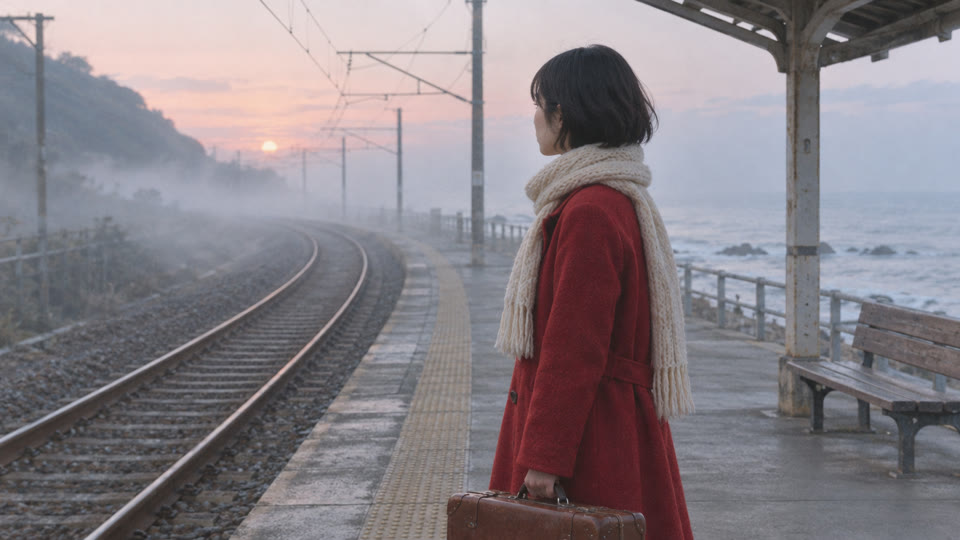 @first_frame 0s
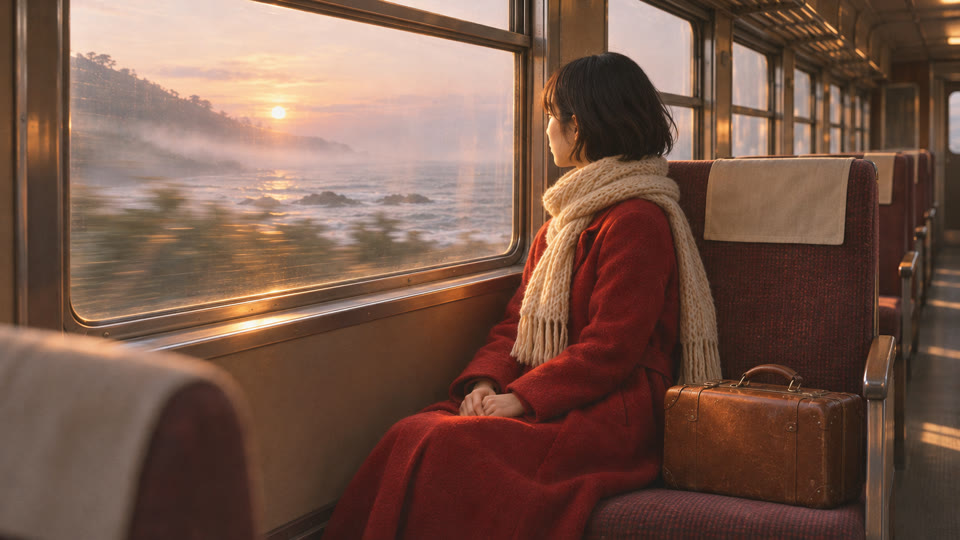 @last_frame 10s
0-5s: on the misty seaside platform at dawn (@first_frame), the woman in the long red coat waits with her suitcase; a silver commuter train glides in from the left and stops beside her, its doors sliding open, and she turns and steps aboard. 5-10s: the camera follows her through the doorway into the carriage; she sits down by the window as the train pulls away, the coastline sliding past and the low sun breaking through the mist onto her face (@last_frame). Keep her face, short black hair, red coat, cream scarf and brown suitcase the same throughout. One continuous camera move, 35mm film look, fine grain. Sound: sea wind, train brakes hissing, a door chime, then the soft rhythm of wheels on rails. No text, no other people.
No images at all: one prompt that describes the walk in four time segments. The camera follows him from the market to the rooftop without a cut.
One continuous 30-second take with no cuts. 0-8s: night, a narrow lantern-lit street market just after rain; the camera follows close behind a young man in a dark green bomber jacket carrying a paper bag of oranges as he weaves between food stalls, steam rising from woks, warm tungsten light reflecting on the wet stone. 8-16s: he turns into a doorway and climbs a narrow outdoor metal staircase; the camera stays behind him at shoulder height, passing laundry lines and potted plants. 16-24s: he steps out onto a rooftop strung with warm bulbs, where three friends sit around a small table; one of them waves and he lifts the bag of oranges. 24-30s: the camera keeps moving past him to the rooftop edge and rises slowly to reveal the whole city skyline glowing under a deep blue sky. Smooth gimbal movement, constant forward motion, natural colours, 35mm film look, fine grain. Sound: market chatter and sizzling woks, then footsteps on metal stairs, then laughter on the rooftop and a distant city hum. The man keeps the same face, jacket and bag throughout. No cuts, no text, no readable signs.
All three sit in the same model menu. Draft on Flash, finish on 4.0.
Full model
The one to finish on. The longest single clip in ChatCut, 21:9 output, and up to 10 images plus 5 reference videos in one request.
Drafts
Check the move and the framing before you pay for the full model. 720p only, 40% cheaper than Kling 4.0 at 720p.
Short clips
Still a good pick for a 15-second social clip from text or up to 7 images.
The wolf prompt from the top of this page, sent to both models with the same settings: 16:9, 10 seconds, 1080p.
The shared prompt
Blue hour on a snow-covered plain, the last orange light low on the horizon behind. A lone grey wolf runs through deep powder snow toward and past the camera, filmed in slow motion with a long lens that tracks it smoothly; snow sprays from each stride and its breath shows as backlit vapour; fur is rim-lit orange against the cold blue landscape. High contrast, cold teal shadows, shallow depth of field, wildlife film look. Sound: muffled paws in snow, steady breath, wind. No people, no other animals, no text.
Kling 4.0 makes the shot. ChatCut skills plan the rest of the video, from the shot list to captions and music, on the same timeline.
TV commercial
Turn one packshot into a polished TV spot with macro product shots.
Open the skillBillboard reveal
Put your product on a giant city screen, framed like real footage.
Open the skillViral camera effect
Drop yourself into a rooftop chase from a single photo.
Open the skillUGC review
A creator-style selfie review of your product, shot vertical.
Open the skillThe numbers below are what you can set in ChatCut today.
No setup beyond picking the model.
Open the AI panel, switch to Video Gen and select Kling 4.0 under the composer.
Subject, action, camera move, light and sound. Add a first or last frame, images or reference videos if you have them.
Check the credit estimate and send. The clip lands in My Assets, ready for the timeline.
Generate video from text, images, or a first and last frame, then edit, caption, voice, and score it, all in one place.
Download Desktop Download for macOS Download for Windows Generate a videoUnlock member features, models, and export allowances. Get more credits every month
No credit card required
Free starter allowance
Try for free$252 · Billed annually
100 credits / month
Get started$456 · Billed annually
200 credits / month
Get started$1692 · Billed annually
800 credits / month
Get startedYes. Kling 4.0 is in the Video Gen model menu on the web editor and ChatCut Desktop, and the ChatCut Agent can use it too.
Yes. Video generation in ChatCut needs a paid plan, and each clip uses credits.
3 to 30 seconds in one clip, in whole seconds, at 720p or 1080p. Kling 3.0 stops at 15 seconds.
Text, a first frame, a last frame, reference images and reference videos, combined in one request: up to 10 images in all, frames included, and up to 5 videos of 3 to 30 seconds each (30 seconds in total). Name each input in the prompt, such as @image_1 or @video_1.
Always. There is no switch for it, so describe the dialogue, effects and music you want in the prompt. It takes no audio references.
0.7536 credits per second at 720p and 1.128 at 1080p, so a 10-second 1080p clip is about 11 credits. Each take is a separate charge; the editor shows the estimate before you send.
A cheaper Kling 4.0 for drafts: 3 to 20 seconds at 720p, 0.452 credits per second, 40% less than Kling 4.0 at 720p. Finish the shot on Kling 4.0 when you need 1080p or more than 20 seconds.
Kling 4.0 doubles the clip length to 30 seconds, adds 21:9 and takes reference videos and longer prompts. Kling 3.0 costs less per second and is enough for short clips from text or images.
 Codex
 Claude
 WorkBuddy