
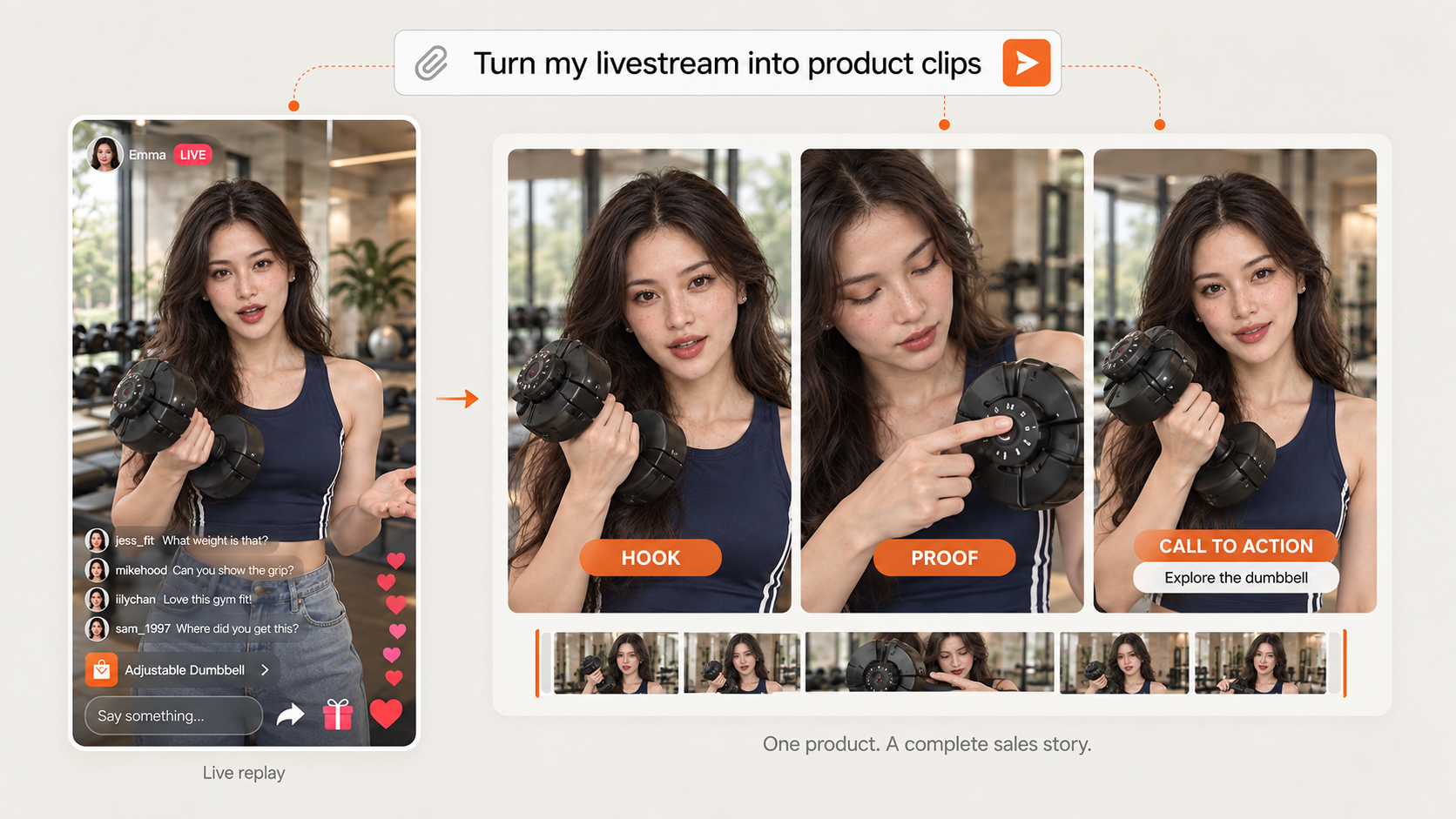
Synced from the ChatCut Skill catalog · Updated September 24, 2026
Turn a live-shopping replay into product clips that sell: one product per clip, hook first. Good for: Douyin, WeChat Channels, and TikTok Shop live replays, fashion, jewelry, beauty, food, and any stream where a host sells products on camera. Use it to: split a long stream into one clip per product, or build the strongest clip for a single product, with real try-on proof, clean deal and call-to-action endings, and consistent captions and cards across the whole batch.
What this Skill does
Cut livestream shopping replays (Douyin, WeChat Channels, Kuaishou, TikTok Shop, Whatnot and similar live sales) into product clips that sell — one product per clip, a real hook first, proof, then the deal and a call to action. Use when the user asks for 直播切片, 带货切片, 拆品, product clips or sales highlights from a live stream, or several selling clips from one or more replays. Not for podcasts, lectures, or streams with no product being sold.
Use this Skill when
A recorded live-shopping stream should become one or more product clips that sell: one product per clip, hook first, proof, deal, and a call to action.
What the package contains
- 7 workflow steps
- The ordered procedure the agent works through, from the material you hand it to the finished timeline.
- 8 operating rules
- Constraints it holds to along the way, so the result stays predictable instead of drifting mid-edit.
- 7 quality checks
- What it verifies before calling the work done — the pass you would otherwise run yourself.
- 4 defined inputs
- The footage, references, and decisions this workflow expects from you up front.
How to run it
Open this Skill in ChatCut and it loads into the project you are working in. From there you describe the job in your own words — the Skill supplies the procedure, so you do not have to spell out each step, and you can redirect it at any point without starting over.
Changelog
Updated September 24, 2026 — synced from the ChatCut Skill catalog. No revisions recorded before this one.



Commenting is not open yet. Until it is, tell us how you use this Skill in Discord.