
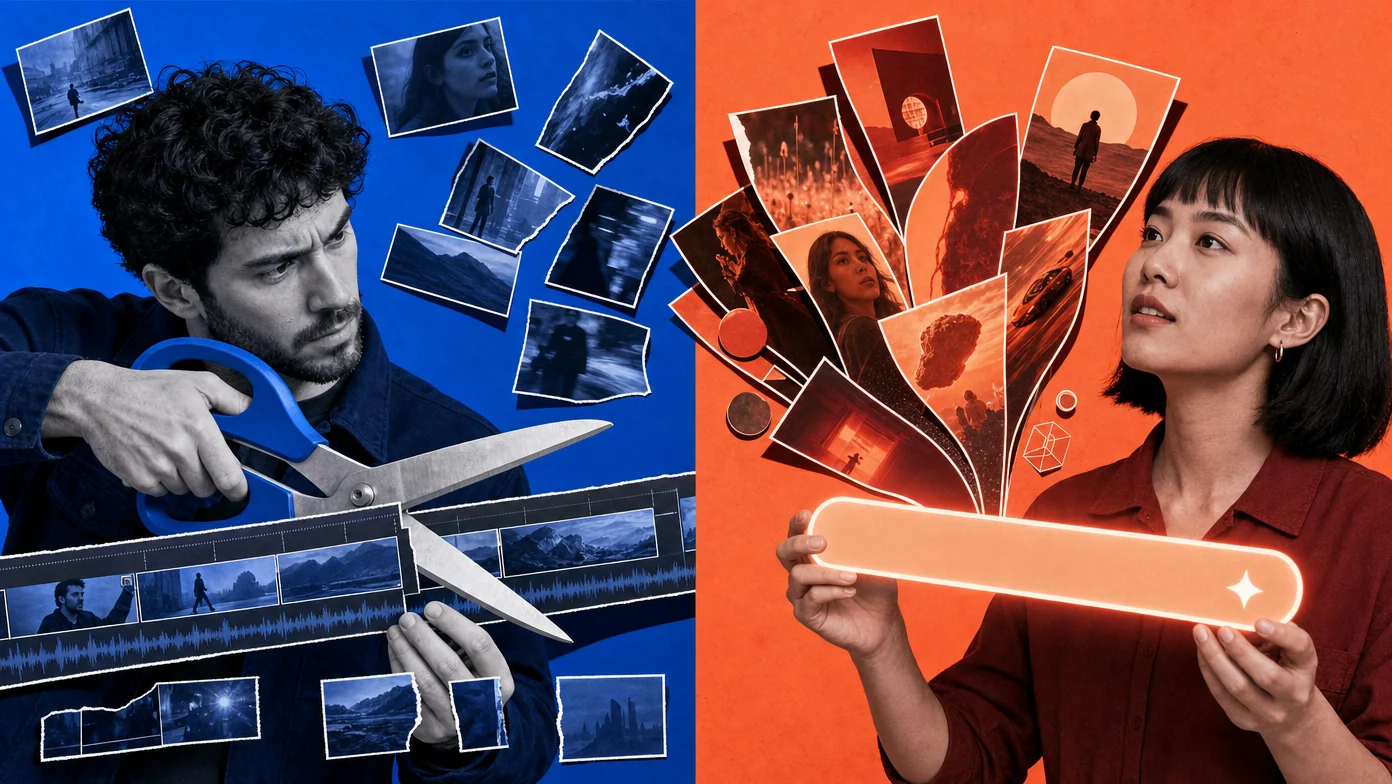
The short answer: an AI video editor uses AI to manipulate existing video you give it (cut, trim, caption, color, reframe). An AI video generator uses AI to create new video from a text prompt or reference image. Both involve AI. Both produce video. They solve different problems and pick the wrong one for your use case and you’ll spend a lot of credits getting nowhere.
The confusion is real because the marketing copy from both sides has converged: every editor brags about AI features, every generator brags about its in-app editor. In practice the difference is whether you’re starting with footage you shot or starting with a sentence you typed. The rest of this piece is about why that distinction matters and which 2026 tools fit which job.
What is an AI video editor?
An AI video editor takes existing video as input and uses AI to make editing tasks faster.
The job it solves: you have raw footage (a podcast recording, an interview, a screen capture, B-roll you shot, a Zoom call) and you need to turn it into a finished cut. Without AI, this means scrubbing the timeline, manually cutting, manually captioning, manually adjusting color, manually trimming silences. With AI, most of that becomes one or two prompts.
Examples of AI video editors in 2026:
- ChatCut: conversational editing where you describe edits in plain English and the Agent executes them
- Descript: text-based editing where you delete words from the transcript and the corresponding video gets cut
- VEED: browser-based editing with AI captions, AI noise removal, AI subtitle translation
- CapCut: mobile-first editing with AI auto-cut, AI captions, AI effects
- Adobe Premiere Pro with Sensei: traditional NLE that added AI auto-reframe, scene detection, speech-to-text
What an AI video editor doesn’t do: it doesn’t create video that doesn’t exist. If your input is a 30-minute interview, the editor can cut it into a 5-minute final video plus shorts. It can’t generate a new clip showing what your interview subject was describing.
What is an AI video generator?
An AI video generator takes a text prompt (sometimes plus a reference image or video) and produces video from scratch.
The job it solves: you don’t have footage and you need video. Could be B-roll for a story you’re telling, an establishing shot for a documentary, an animation for an explainer, a cinematic test scene, a generated character for a fictional series. The AI generates 4-15 seconds of video matching your description.
Examples of AI video generators in 2026:
- Seedance 2.0: text-to-video, image-to-video, multi-shot generation with synchronized audio
- Google Veo 3.1: high-fidelity cinematic generation
- Runway Gen-4: character-consistent generation, marketer-favored
- Kling AI: multi-shot storyboarding with continuity
- Pika: social-effects generation (Pikaffects, lip-sync, novelty effects)
- Hailuo (MiniMax): value pick for high-volume generation
What an AI video generator doesn’t do: it doesn’t help you cut existing footage. If you upload a 30-minute interview to a pure generator, you get nothing useful back. The generator’s input format is “text describing what you want”, not “video to be edited”.
When should you use which?
The decision tree is simpler than the marketing copy makes it sound.
You have raw footage and need to turn it into a finished video → AI video editor. Podcast recording, interview, vlog clip, Zoom call, screen capture, conference talk. The job is cutting, captioning, polishing.
You don’t have footage but need video → AI video generator. B-roll for a story, establishing shot for a scene, animation for an explainer, cinematic test scene, anything you can’t (or don’t want to) shoot.
You have raw footage but it needs supplementary video → both. This is the most common 2026 production reality. You have a 5-minute talking-head interview that needs B-roll cutaways for visual variety. You use an editor to cut the interview, then use a generator to produce the cutaways.
You’re starting from scratch and want a finished video → both, in sequence. Generator to produce the raw clips, editor to assemble them into a finished cut.
The trap to avoid: trying to force one to do the other’s job. Pure editors with weak generation features (or none) can’t fill a B-roll gap. Pure generators with weak editing features can’t turn 50 generated clips into a coherent finished video. Picking a tool that does only one of these jobs limits the workflow.
Can one tool do both?
Increasingly yes, and the tools that do both well are pulling ahead in 2026.
Tools that do both natively:
- ChatCut combines an AI conversational editor with an AI video generator (Seedance 2.0). One project, one timeline, both modes available. Generate B-roll inside the same session you’re editing the interview.
- Runway does both, with the generator more mature than the editor.
- CapCut has both an editor and AI video generation features bundled in.
Tools that specialize in one:
- Pure editors: Descript (talking-head editing), Final Cut Pro (Mac NLE)
- Pure generators: Veo, Kling, Pika (no editor at all; they output a clip and that’s it)
The hybrid tools have a real workflow advantage when your production combines existing footage and generated B-roll. The single-purpose tools have a feature-depth advantage when you’re optimizing for one specific job.
For VEED’s positioning of editor-vs-generator specifically, they frame it as a strategic distinction worth choosing on. The honest 2026 read: most professional production teams use a hybrid tool as primary plus a specialized tool for the job their hybrid does worst.
What’s the future, convergence or specialization?
The 2024-2025 trend was specialization. Each tool did one thing very well; the workflow combined multiple tools.
The 2026 trend is convergence. Pure-play generator companies (Runway, Pika) added in-app editing features. Editor companies pulled the other direction. CapCut added AI video generation in 2025. ChatCut integrated Seedance 2.0 directly into the timeline. The line between the two categories is fuzzier than it was a year ago.
Two reasons convergence is winning:
- Workflow friction matters more than feature depth. Switching between two specialized tools (export from one, import to the other, manage versions across both) eats more time than the depth gain from each tool. A hybrid tool that’s 85% as good at each job often wins on total time-to-finish.
- The credit-billing model favors hybrids. A user who buys credits for one tool and uses them across both editing and generation gets more out of each credit than a user buying separate subscriptions to two specialized tools.
The likely 2027 picture: 3-4 strong hybrid tools dominate the general-purpose market; specialists survive in narrow professional niches (high-end cinematic generation, broadcast-grade editing, specific industry workflows like medical or legal video).
The mistake to avoid in picking a tool: optimizing for the depth of a feature you’ll use 5% of the time at the cost of the workflow you’ll use 95% of the time. Most production teams underweight workflow speed and overweight feature lists.
FAQ
Are AI video editors and AI video generators competing for the same market?
Partly. They overlap on creators who need both jobs done; they don’t overlap on creators who only need one. The convergence trend means most major tools are increasingly competing across both categories.
Can I use an AI video generator to make a podcast or interview?
Not really. AI video generators don’t replace recording someone speaking; they generate video from prompts. For podcast or interview production, you still need to record (or use an avatar tool like Synthesia), then edit. The generator’s role is supplementary B-roll, not primary content.
Which is more expensive at production volume?
Generally generators cost more per output than editors, because each generation consumes more compute than each edit operation. A 5-second generated clip in Seedance 2.0 costs roughly 3 credits; the same 5 seconds of editing existing footage in ChatCut costs a fraction of a credit. For high-volume work, the editing layer is cheaper than the generation layer.
Do AI video editors work without an internet connection?
Most modern AI video editors (ChatCut, VEED, browser-based tools) require internet because the AI runs in the cloud. Desktop editors with AI features (Premiere, Final Cut, DaVinci, Filmora) often run AI locally and work offline. Generators almost always require internet because the generation models run on remote infrastructure.
Should I learn editor tools or generator tools first?
Editor tools first, for most people. The skills transfer to any video work. Generators are a powerful supplement once you have an editing workflow established. Learning generation first without editing skills produces clips you can’t actually use in a finished project.
What does ChatCut do, editor, generator, or both?
Both. ChatCut combines an AI conversational editor with an AI video generator (Seedance 2.0) inside the same project. The editor handles cutting, captioning, and assembly; the generator handles B-roll and supplementary clips.
Pick the right tool for the job
If you’re starting with existing footage, you need an AI video editor. If you’re starting from a sentence, you need an AI video generator. If you’re doing both (which is most production work in 2026), you need either a hybrid tool or a stack of two specialized ones.
ChatCut bundles both modes in one project. You describe the edit. ChatCut executes it. For pure generation work or pure editing work, specialized tools may have feature-depth advantages; for the common case of mixing both, a hybrid is usually faster.